
Choose a television stand with storage by measuring your TV and devices first, then deciding what should stay visible and what should be hidden. Width and weight support matter most for safety, while storage layout decides how tidy the room feels day to day. A good stand should fit your viewing position, hold your equipment without crowding it, and make cables easier to manage.
What Is a Television Stand With Storage?
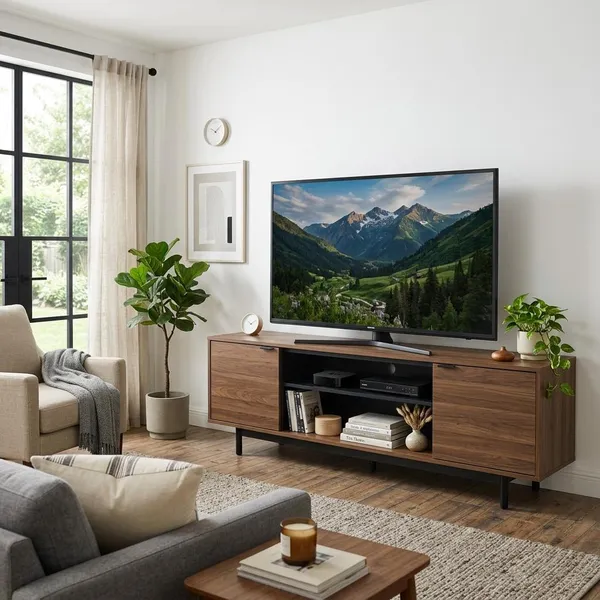
A TV stand with storage is more than a surface for the screen. It combines support, organization, and sometimes display space in one piece of furniture, which is why the storage layout matters as much as the style.
It combines TV support with extra storage
At its simplest, it gives your television a stable place to sit while adding shelves, drawers, or cabinets for the things that usually gather around a media area. That can include streaming boxes, remotes, game controllers, charging cables, manuals, speakers, or small decor.
The important check is whether the stand can handle both jobs at once. A nice-looking unit is not a good choice if the TV base barely fits, the top surface feels crowded, or the shelves are too small for your actual devices.
It keeps devices and clutter organized
The real benefit shows up after a few weeks of use. Open shelves keep devices reachable, drawers stop small items from spreading across the coffee table, and cabinets hide things you do not want on display. If your TV area always collects loose cords, batteries, and remotes, storage is not just a bonus feature; it is the reason the stand works.
It fits different room needs
A small apartment may need a slim stand with one open shelf and a drawer so the TV area does not feel heavy. A busy family room usually benefits from mixed storage because consoles, toys, remotes, and board games all need different places. In a more formal living room, closed doors often look better because they reduce visual noise when guests are around.
How Do You Choose the Right Size TV Stand?
Start with size before style. A stand that is too narrow can look awkward and feel less secure, while one that is too tall or deep can make the room uncomfortable to use. Measure the TV, the devices, and the space around the furniture before comparing designs.
Match the stand width to your TV
Choose a stand that is usually wider than the actual TV frame, not just equal to it. A few inches of extra width on each side makes the setup look balanced and leaves room for a soundbar, small speakers, or decor without pushing everything to the edge.
Pick a comfortable viewing height
The screen should feel natural from your main seat. If you watch from a sofa, the center of the TV should generally sit close to eye level when you are seated. If the TV is in a bedroom or you often watch from a recliner, the comfortable height may be different, so judge the final screen position rather than the furniture height alone.
Check depth for devices and space
Depth is easy to overlook. Measure the deepest device you plan to store, then allow space behind it for plugs, HDMI cables, and airflow. A console or receiver that "just fits" on paper may become annoying if cords press against the back panel or the device runs warm.
Room flow matters too. In a narrow bedroom or apartment walkway, a deep media console can make the area feel cramped. In that case, a slimmer stand with smarter vertical storage may work better than a bulky unit with more compartments than you need.
Leave room for soundbars and accessories
Plan the top surface as if everything is already in place: TV base, soundbar, small speakers, remote tray, and any decor you actually want to keep there. A common mistake is buying for the TV only, then realizing the soundbar blocks the bottom of the screen or hangs over the front edge.
- Measure the TV's outside width and base footprint.
- Measure the soundbar or speaker you want to use.
- Check shelf depth with cables plugged in.
- Confirm the stand's weight limit and shelf dimensions.
What Storage Options Are Available?
The right storage depends on what you use every day and what you prefer not to see. A neat-looking stand can still be frustrating if the storage does not match your habits, so think in categories: small items, bulky clutter, active electronics, and flexible future use.
Drawers store small items
Drawers are best for things that disappear easily or make the room look messy: remotes, spare batteries, charging cables, headphones, game controllers, and small manuals. If several people use the TV area, drawers also make it easier to keep accessories separated by device or user.
Cabinets hide everyday clutter
Cabinets work well for larger items you want nearby but hidden, such as board games, extra cords, media cases, routers, or backup electronics. They are a good choice for living rooms where the TV wall needs to look calm instead of busy.
Before choosing a cabinet-heavy stand, check whether the doors have enough clearance to open fully. This matters in tight spaces where a coffee table, side chair, or wall angle may block access.
Open shelves hold devices
Open shelves are usually the easiest choice for streaming boxes, game consoles, cable boxes, and audio equipment because they allow remote signals, quick access, and better airflow. The trade-off is visibility, so cable cutouts become important if you do not want wires showing from every shelf.
Mixed storage offers more flexibility
Mixed storage is often the safest choice for long-term use. One open shelf can hold active electronics, drawers can handle small accessories, and cabinets can hide less attractive items. This works especially well if your setup may change later, such as adding a gaming console, upgrading a soundbar, or moving the stand to another room.
Which Materials Make the Best TV Stands?
Material affects durability, price, weight, and maintenance. The best choice depends on how heavily the stand will be used: light use in a guest room is different from daily use in a family room with consoles, pets, and frequent drawer traffic.
Solid wood offers lasting durability
Solid wood is a strong option if you want a stand that feels sturdy and can age well. It often handles daily wear better than cheaper materials and may be repairable or refinishable if the surface gets scratched.
The trade-off is cost and weight. It is usually more expensive and harder to move, so it makes the most sense when the stand will stay in one place for years and you want a more permanent furniture piece.
Engineered wood provides affordable value
Engineered wood, such as MDF or particleboard with laminate or veneer, is common in affordable and mid-range TV stands. It can be a practical choice for normal household use, especially if you want a specific style without paying for solid wood.
Quality varies a lot, so pay attention to panel thickness, edge finishing, drawer hardware, and weight capacity. A well-built engineered wood stand can be a good value; a very thin one may sag, chip, or feel unstable sooner.
Metal and glass create modern styles
Metal and glass suit modern or minimalist rooms because they look lighter than many wood cabinets. Metal frames can feel strong, and tempered glass shelves are easy to wipe clean.
They are less forgiving if you dislike visible dust, fingerprints, or exposed devices. For a clean modern look with less clutter, consider a mixed-material stand that includes at least one closed drawer or cabinet.
Quality finishes improve lifespan
The finish often decides how good the stand looks after regular use. Check corners, shelf edges, handles, and the area around cable openings because those spots usually show wear first. Durable laminate can be practical in busy homes, while painted or veneer finishes may need more careful handling depending on quality.
What Features Make a TV Stand More Practical?
Practical features are the details you notice after installation. Cable holes, ventilation, adjustable shelves, and stability hardware may not be as exciting as color or style, but they make the stand easier and safer to use every day.
Cable holes keep wires organized
Cable holes or rear cutouts let cords pass through the back instead of hanging around the sides. They are especially useful if you have a TV, soundbar, game console, router, and streaming device all using the same stand.
- Best placement: behind the devices, not far off to one corner.
- Useful extra: enough rear space for a power strip.
- Common mistake: choosing open shelves with no cable route.
Ventilation protects electronics
Ventilation matters most when devices run for long periods. Game consoles, receivers, and some media boxes can build heat in closed compartments, so open backs, slatted doors, or roomy shelves are worth looking for.
If the stand will mainly hold decor and a small streaming stick, ventilation may be less of a deciding factor. For a gaming setup or full entertainment system, treat airflow as a priority rather than an afterthought.
Adjustable shelves add flexibility
Adjustable shelves help the stand adapt when your equipment changes. A compartment that fits a small streaming box today may need to hold a taller console, center speaker, or stack of board games later. Even a few inches of shelf movement can make the furniture useful for longer.
Safety features improve daily use
Stability is not only a concern for homes with small children. A wide TV, heavy equipment, frequently opened drawers, or an uneven floor can all make a weak stand feel unsafe. Check weight limits, use anti-tip hardware when provided, and avoid loading heavy items on one side only.
Soft-close doors, rounded edges, and sturdy drawer glides are also worth noticing. They do not change the look much, but they make daily use quieter, smoother, and less frustrating.
Conclusion
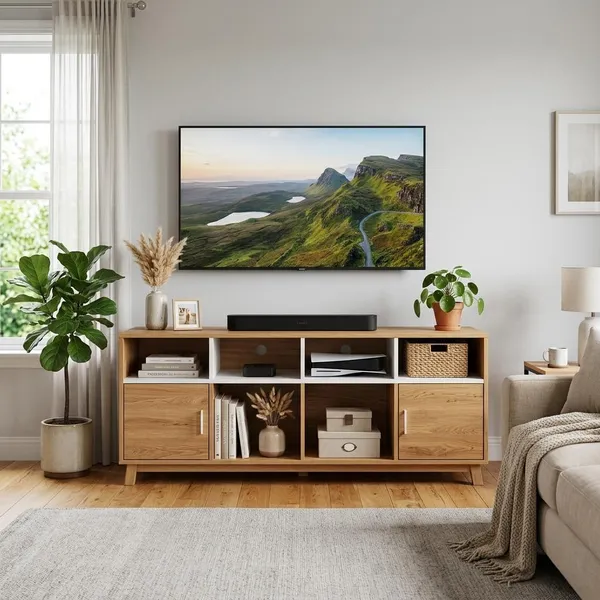
The best choice is the stand that fits your TV safely, gives your devices enough room to work properly, and hides the clutter you do not want to see every day. Measure first, choose storage based on your real habits, and treat cable access, ventilation, and stability as practical must-checks rather than extras. If two designs look similar, pick the one that will be easier to live with six months from now.