
If you want the best smart locks for a front door, start with fit and daily use before chasing features. Schlage Encode Plus is the safest all-around pick for many homes, August is the easier choice for renters, Yale is strong for fingerprint entry, and Aqara makes more sense if Matter and Thread matter to your setup.
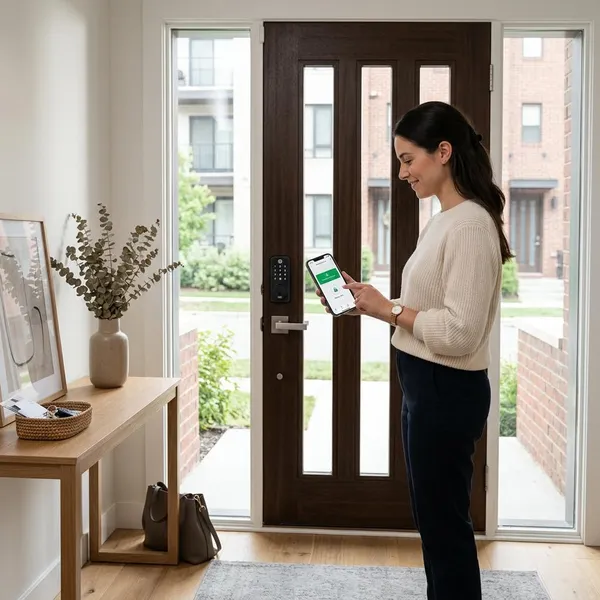
What are the best smart locks right now?
The strongest smart lock is not always the one with the longest feature list. A good pick should fit your door, give your household an easy way in, and still have a sensible backup if the app, phone, Wi-Fi, or batteries fail.
| Best fit | Smart lock to consider | Why it stands out |
|---|---|---|
| Most homes | Schlage Encode Plus | Strong hardware, keypad, key backup, and Apple Home Key support |
| Hands-free entry | Schlage Sense Pro | Better for households that want a more automatic arrival experience |
| Advanced smart homes | Aqara Smart Lock U400 | Appeals to Matter, Thread, and multi-platform users |
| Fingerprint access | Yale Assure Lock 2 Touch | Quick unlocking without typing a code or opening an app |
| Mixed ecosystems | Kwikset Halo Select | A practical option when your home is not locked into one platform |
| Lower budget | Wyze Lock Bolt | Covers basic smart entry without premium pricing |
| Renters | August Wi-Fi Smart Lock | Retrofit design keeps the outside of many doors unchanged |
Which type of smart lock should you choose?
Choose the smart lock type before choosing the brand. A replacement deadbolt, retrofit lock, fingerprint lock, lever lock, and invisible lock solve different problems, and the wrong type can make even a highly rated model frustrating.
Choose a replacement deadbolt for a built-in keypad
A replacement deadbolt is the best choice if you own the home and want a clean all-in-one setup with an exterior keypad. It is usually the most practical format for families, frequent guests, cleaners, dog walkers, or anyone who wants to create and remove codes instead of sharing keys.
Choose a retrofit lock to keep your existing key
A retrofit lock keeps the existing outside key cylinder and changes the inside thumb-turn side. That makes it useful for renters, condos with exterior appearance rules, and cautious buyers who want smart features without making the door look different from the hallway or street.
Choose a fingerprint lock for quick entry
A fingerprint lock is worth it when the same people use the door every day and want the fastest possible entry. It is less perfect for short-term guests, service workers, or large rotating groups, where temporary keypad codes are usually easier to manage.
- Choose fingerprint: daily users want speed and do not want to carry keys.
- Choose keypad first: many visitors need temporary access.
- Choose phone/app first: remote control matters more than fast local entry.
Choose a lever lock for doors without deadbolts
A smart lever lock is for doors where a standard deadbolt replacement will not work. This may include some side entries, offices, interior access doors, mudrooms, or apartment doors that use a lever as the main locking hardware.
Choose an invisible lock for a traditional look
An invisible lock is the better choice when you want smart access without a keypad or obvious device on the outside. It suits traditional front doors, design-focused homes, and entries where you already have a doorbell camera, lighting, or other visible hardware.
The tradeoff is guest convenience. If children, relatives, or service providers need easy access, a visible keypad may be more useful than a cleaner-looking exterior.
Which smart lock works with your smart home?
Smart home compatibility decides how the lock behaves after installation. It affects remote locking, automations, voice control, phone notifications, and whether you need another hub or bridge just to use the features you expected.
If your home is already built around Apple, Alexa, Google, Matter, or a mix of platforms, choose around that reality. A lock that technically "has an app" is not the same as one that fits smoothly into the system you already use.
Schlage Encode Plus suits Apple Home Key users
Schlage Encode Plus is the standout choice if Apple Home Key is a priority. The appeal is simple: compatible iPhone and Apple Watch users can unlock with a tap, while the keypad and physical key still cover people who do not want to use Apple Wallet-style entry.
Aqara U400 suits Matter and Thread homes
Aqara U400 suits homes where Matter and Thread are part of the buying decision. This matters most if you are trying to avoid a one-brand setup and want devices from different makers to work together more cleanly.
Kwikset Halo Select suits mixed ecosystems
Kwikset Halo Select is a practical fit for households that are not perfectly standardized. If one person uses Alexa, another uses Google, and the house already has devices from several brands, broad compatibility can matter more than one premium feature.
Yale Assure Lock 2 suits modular setups
Yale Assure Lock 2 works well for people who like options. Depending on the version and module, the Assure line can be matched to different connectivity needs, which is useful if your smart home may change before the lock wears out.
- Good reason to choose Yale: you want design variety and platform flexibility.
- Reason to be careful: different versions do not all support the same features.
August suits established Alexa and Google homes
August is strongest when you already use Alexa or Google routines and want a retrofit lock rather than a full exterior replacement. It fits the person who wants remote checks, app-based access, and automations without changing the look of the door from outside.
It is less attractive if you want a built-in exterior keypad as the main entry method. Add-on accessories can work, but a full replacement deadbolt may feel cleaner for a family that uses codes every day.
How do you check door compatibility?
Check compatibility before comparing prices. The most important things are your current lock type, door thickness, bore hole, backset, bolt alignment, interior clearance, exterior clearance, and rental rules if you do not own the home.
A smart lock motor cannot fix a bad-fitting door. If your current deadbolt scrapes, sticks, or needs a shove to close, solve that first or the smart lock may be noisy, unreliable, and harder on batteries.
Identify the current lock type
Look at whether your door has a standard single-cylinder deadbolt, mortise lock, lever lock, knob lock, or unusual multi-point setup. Most popular smart deadbolts are made for standard single-cylinder deadbolts, so anything else needs extra caution before buying.
Measure the door thickness
Measure the door from the inside face to the outside face, then compare that number with the lock maker's supported range. This is especially important for older homes, decorative front doors, custom doors, and apartment doors that may not match common residential assumptions.
Measure the bore hole and backset
The bore hole is the large round opening where the lock sits. The backset is the distance from the door edge to the center of that hole. If either one is off, the lock may sit crooked, bind, or fail to line up cleanly with the latch hardware.
Check the deadbolt alignment
Close the door and turn the existing deadbolt by hand several times. It should slide into the strike plate without lifting, pulling, or pushing the door. If it does not, adjust the strike plate or door alignment before installing a motorized lock.
- Acceptable: the bolt moves smoothly with light finger pressure.
- Fix first: the bolt scrapes, clicks hard, or needs the door to be pulled tight.
- Do not ignore: repeated binding, because it can shorten battery life.
Confirm indoor and outdoor clearance
Check the space around the lock on both sides of the door. Indoors, a bulky motor housing can hit trim, blinds, shelves, glass panels, or a nearby wall. Outdoors, a keypad can interfere with storm doors, screen doors, decorative trim, or narrow door frames.
Ask for landlord approval when renting
If you rent, ask before installing anything that changes exterior hardware, key access, or the landlord's ability to enter under the lease. Written approval is better than a casual yes, especially in managed buildings or apartments with shared access rules.
A renter with a strict lease should usually start with an interior retrofit lock. A renter with flexible rules may still prefer one because it is easier to remove and restore before move-out.
How do you choose the best smart lock?
The right order is door first, entry method second, smart home platform third. After that, compare security, backup access, and price. That order prevents the common mistake of buying a feature-rich lock that does not fit your door or your routine.
Start with your door type
Your door type sets the boundaries. A standard deadbolt gives you the most options, a lever-only door needs different hardware, and a rental door may limit what you are allowed to change.
This is the first filter because software cannot solve a physical mismatch. If the lock type is wrong, no app feature or smart home integration will make the installation reliable.
Choose your preferred entry method
Pick the entry method your household will actually use on an ordinary weekday. A keypad is best for shared access, fingerprint is best for fast repeat users, a phone-based lock suits people who already manage everything through apps, and a physical key backup is still useful for emergencies.
- Family with children: keypad codes are usually easier than app access.
- Solo homeowner: fingerprint or phone entry may feel faster and cleaner.
- Frequent guests: temporary codes beat shared permanent PINs.
Match your smart home platform
Choose a lock that works cleanly with the platform you already use, not the platform you might use someday unless you are actively building around it. Apple Home Key, Matter, Thread, Alexa, Google Home, Bluetooth, Wi-Fi, and hub-based systems can all change the daily experience.
If you only want keypad entry, platform support may be less important. If you want automations, remote locking, arrival routines, or voice control, it becomes one of the main buying factors.
Check the security certification
Look for a recognized lock rating, reputable hardware design, and clear security information from the manufacturer. Digital features matter, but a front-door lock is still physical security hardware first.
Be careful with unknown brands that sell mainly on features and price. A smooth app does not compensate for weak construction, poor account security, or a deadbolt that does not operate cleanly.
Confirm the backup options
Make sure you know how you will get in when something ordinary goes wrong. That might mean a physical key, emergency power contacts, keypad access that works offline, Bluetooth access when Wi-Fi is down, or another approved backup method.
- Phone dies: can you use a code, key, or fingerprint?
- Wi-Fi drops: does local unlocking still work?
- Battery runs low: do you get warnings or emergency power access?
Set a realistic budget
Spend more where it improves daily use, not just where it adds impressive specs. A premium lock can be worth it for a high-use front door, better materials, quieter operation, stronger integrations, or a more reliable fingerprint reader.
Conclusion
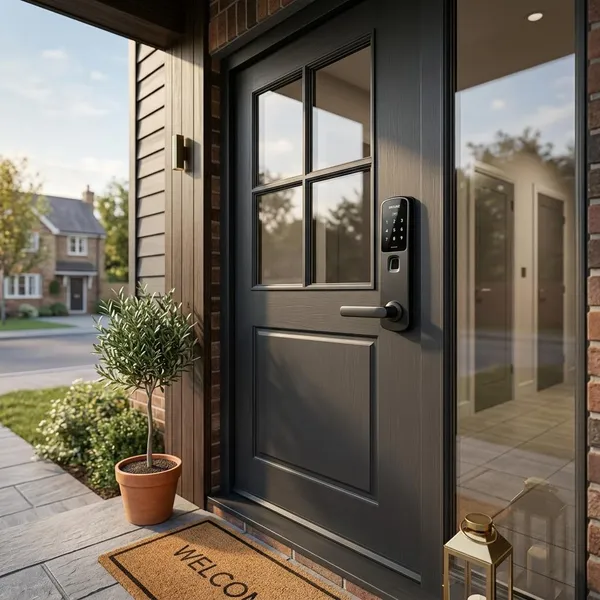
The best choice is the lock that fits your door cleanly, gives your household the easiest everyday entry method, and still has a backup when technology gets annoying. For many homes that points to Schlage Encode Plus, for renters it points to August, for fingerprint access Yale is a strong option, and for newer smart home setups Aqara is worth comparing carefully.