
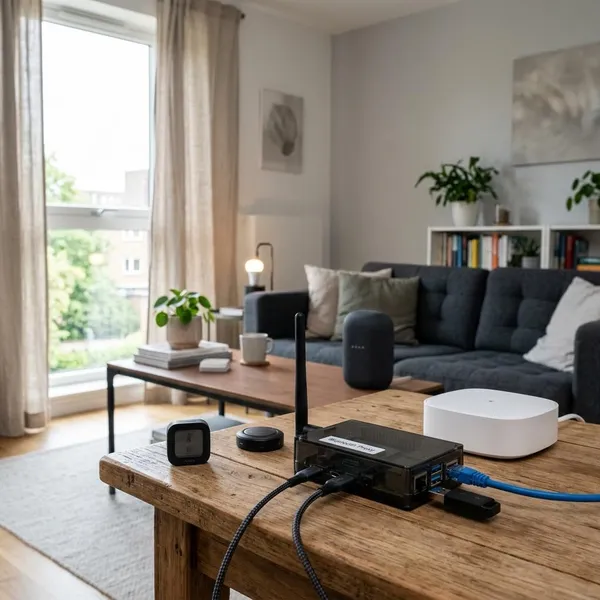
If you are deciding between a bluetooth hub for home assistant and bluetooth gateway setup, start with placement before you look at model numbers. A supported USB adapter is usually enough when your Home Assistant server is central and the devices are nearby. If devices are spread across rooms, hidden behind walls, or need reliable commands, ESPHome Bluetooth proxies are usually the better upgrade.
Which Bluetooth option is best?
The best option is the one that fixes your actual weak point. For a small apartment with a mini PC in the living room, one well-supported USB adapter can be simple and stable. For a house where the server sits in a cabinet, garage, or far corner, moving Bluetooth radios closer to devices usually helps more than buying a newer dongle.
ESPHome proxies for whole-home coverage
ESPHome Bluetooth proxies are usually the best choice for whole-home coverage because they move the Bluetooth radio into the room where it is needed. An ESP32 proxy can listen for nearby BLE devices and send that data back to Home Assistant over Wi-Fi or Ethernet.
This is especially useful for room-by-room devices: plant monitors near a balcony, leak sensors under a sink, SwitchBot-style devices by curtains, or thermometers at the far end of the house. Instead of forcing one central adapter through several walls, each proxy handles the devices around it.
USB adapters for small central setups
A USB Bluetooth adapter is still the cleanest choice when Home Assistant is already close to most devices. It avoids extra ESPHome hardware, needs less planning, and is often enough for passive temperature sensors, humidity sensors, BLE tags, and similar devices in nearby rooms.
How Bluetooth works in Home Assistant
Home Assistant can use Bluetooth from the host itself and from remote scanners around the home. That is why the system can start simple with one adapter and later grow into a mixed setup with proxies.
The important distinction is passive scanning versus active communication. A sensor that broadcasts a temperature reading is much easier to support than a device that needs Home Assistant to connect, send a command, and confirm the result.
Local adapters connect through the host
A local adapter is the Bluetooth radio attached directly to the machine running Home Assistant, such as a Raspberry Pi, mini PC, Home Assistant Yellow, or other host. It keeps the setup simple because scanning and connections happen from one place.
Remote proxies extend Bluetooth coverage
Remote proxies extend coverage by separating the Home Assistant server from the Bluetooth radio. The proxy sits near the Bluetooth devices, while Home Assistant can stay wherever your server, storage, and network are convenient.
- Good proxy target: a bedroom with blinds that miss commands.
- Good proxy target: a bathroom or utility area with leak sensors that appear unavailable.
- Less urgent target: a nearby room where passive sensors already update reliably.
Home Assistant combines all available scanners
Home Assistant can use several Bluetooth sources at the same time, including a built-in radio, USB dongle, and ESPHome proxies. That makes a hybrid setup practical: the local adapter covers nearby devices, while proxies handle the rooms where range is weak.
This also means you do not need to design the perfect Bluetooth network on day one. Start with the simplest working setup, then add a proxy only where the signal path actually causes trouble.
Device integrations control compatibility
Detection does not always mean full support. A scanner may see a Bluetooth device, but the Home Assistant integration still decides whether it can read data, expose entities, or send commands.
When to use a Bluetooth proxy
Use a Bluetooth proxy when the radio needs to be closer to the device. That sounds obvious, but it is the most common fix for Home Assistant Bluetooth problems: not a newer Bluetooth version, not a bigger claim on a product listing, just better placement.
Devices are spread across several rooms
When devices are scattered across several rooms or floors, one central adapter has to deal with walls, doors, appliances, mirrors, furniture, and general interference. A proxy in the problem room gives nearby devices a shorter and cleaner path.
The Home Assistant server is poorly placed
A poorly placed server can make good Bluetooth hardware look bad. Closets, AV cabinets, garages, metal shelves, and crowded network racks are convenient for equipment but often poor for radio signals.
A proxy lets you leave the server where it belongs and move Bluetooth coverage to an open spot. A hallway outlet, bedroom shelf, or living room corner may perform better than any dongle buried behind the server.
Bluetooth devices frequently disconnect
Frequent disconnects usually mean the device is barely reachable, not necessarily broken. If a device appears, disappears, updates late, or fails commands at random, test proximity before replacing everything.
Several devices need active connections
Several active Bluetooth devices can make a weak setup feel much worse. Passive sensors only need to be heard; active devices need a stable exchange. That extra demand matters when blinds, bots, locks, or button controllers sit at the edge of range.
- Low-risk setup: a few nearby sensors that only broadcast readings.
- Higher-demand setup: multiple controllable devices spread across rooms.
- Better upgrade path: place proxies near the active devices first, then expand if passive sensors still have gaps.
Choosing a Bluetooth adapter
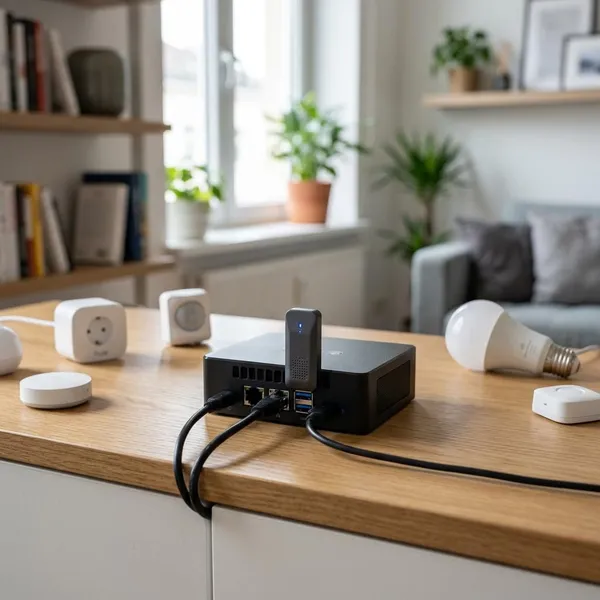
For a local USB adapter, the safest buying rule is compatibility first, range claims second. Home Assistant depends on Linux Bluetooth support, so chipset and driver behavior matter more than the brand name printed on the case.
Be careful with marketplace listings that only highlight "Bluetooth 5.3" or "long range." Those details can be useful, but they do not guarantee stable behavior with Home Assistant, especially for active connections.
Check the official compatibility list
Start with the official Home Assistant Bluetooth adapter guidance and current community feedback. Known-working hardware is boring in the best way: fewer surprises, fewer driver issues, and less time wondering whether the adapter or the device is the problem.
Prioritize chipset and driver support
The chipset is more important than the retail name. Two adapters sold under different brands may use the same internal hardware, while two identical-looking listings may ship with different chipsets.
If the listing does not clearly identify the chipset, treat it as a risk. After plugging it in, check the USB ID and compare it with known Home Assistant reports. That small check can save hours of troubleshooting later.
Choose an external antenna when needed
An external antenna can help when the server is in a reasonable location but slightly blocked by furniture, a desk, or nearby electronics. It can also help if you use a short USB extension cable to move the adapter away from the host.
Use Bluetooth 5.x only when supported
Bluetooth 5.x is worth considering when the adapter has proven Linux and Home Assistant support. The version number alone should not be the deciding factor.
Avoid untested low-cost adapters
Very cheap adapters can work, but they are also where silent hardware changes are common. One batch may contain a decent chipset, while the next batch under the same product name may not behave the same way.
If you only need a temporary test adapter, the risk may be acceptable. For a long-term Home Assistant setup that controls devices every day, predictable hardware is usually worth paying a little more for.
Choosing a Bluetooth gateway
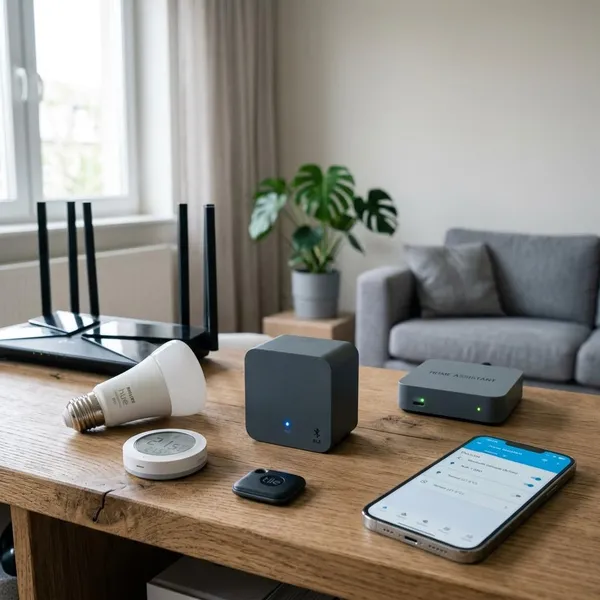
For Home Assistant, a Bluetooth gateway usually means an ESPHome Bluetooth Proxy device placed where Bluetooth coverage is needed. The goal is not to create a separate cloud gateway; it is to give Home Assistant better local BLE reach.
The best gateway setup is deliberate. Put the first proxy near the most troublesome or most important devices, then expand only when another area shows a real coverage problem.
Use ESPHome for full BLE proxy support
ESPHome is the most practical route for most Home Assistant users because it is built around local control and integrates cleanly with Home Assistant. An ESP32 running ESPHome Bluetooth Proxy can forward BLE advertisements and, where supported, help with active connections.
It also gives you hardware choices: small plug-in boards for simple rooms, enclosed devices for cleaner placement, or Ethernet-capable ESP32 hardware where reliability matters more than flexibility.
Choose active connections when required
If your devices need commands, choose hardware and configuration that support active Bluetooth connections. A setup that reads thermometers perfectly may still disappoint when it has to control a bot, curtain motor, or lock.
Prioritize active-control rooms first. If the living room blinds fail twice a week but a storage-room sensor only misses an occasional update, the blinds deserve the better proxy location.
Use Ethernet for better reliability
Ethernet is useful when the proxy will stay in one place and you already have a network drop nearby. It removes Wi-Fi congestion and weak Wi-Fi signal from the path between the proxy and Home Assistant.
Wi-Fi proxies are still fine for many homes, especially for light sensor traffic. But if the room already has poor Wi-Fi, a Wi-Fi-based proxy may simply replace one wireless problem with another.
Place each proxy near its devices
Place proxies close to the devices they serve, preferably in the same room and in the open. Avoid hiding them behind TVs, inside cabinets, next to large metal objects, or directly beside noisy electronics.
- Better: on an open shelf near blinds or sensors.
- Worse: behind a media console full of electronics.
- Worth testing: moving the proxy a few feet before buying another one.
Add more proxies as coverage grows
Add proxies gradually. Home Assistant can combine multiple Bluetooth sources, so you can improve one weak room at a time instead of trying to cover the entire home with one purchase.
Conclusion
Choose the smallest setup that solves the real Bluetooth problem. A tested USB adapter is the right answer for a compact, central Home Assistant installation, while ESPHome proxies make more sense when distance, walls, poor server placement, or active-control devices are causing trouble. Compatibility and placement will usually matter more than chasing the newest Bluetooth number.