
If you are choosing a yale lock, start with the door before you start comparing features. A keypad, fingerprint reader, Home Key support, or Matter compatibility only helps if the lock fits your existing hardware and suits the people who use the door every day.
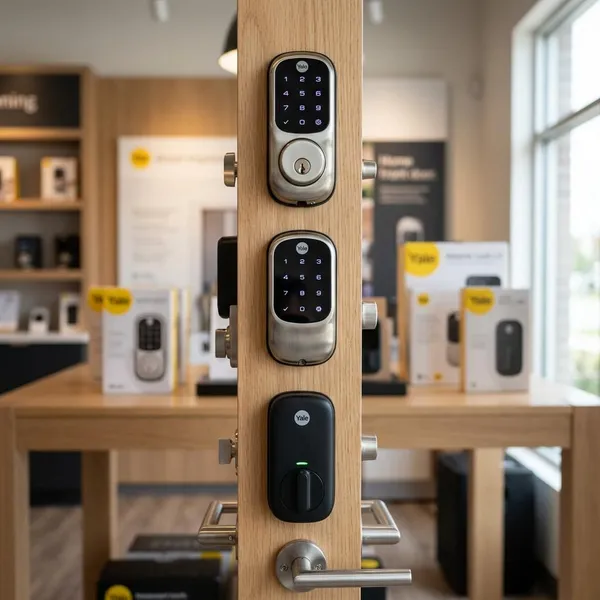
Which Yale smart lock fits your needs?
The easiest way to narrow the range is to match the lock to one real use case. A busy family entrance needs different features from a rented apartment, and an Apple-only household has different priorities from a home with mixed phones and smart speakers.
| Yale option | Best fit | Check before buying |
|---|---|---|
| Assure Lock 2 | Everyday keyless entry | Deadbolt fit and smart module options |
| Assure Lock 2 Touch | Fast fingerprint access | Backup entry method and user setup |
| Assure Lock 2 Plus | Apple Home Key users | Apple device compatibility in your household |
| Smart Lock with Matter | Mixed smart home ecosystems | Which features your platform actually supports |
| Yale Approach | Retrofit or rental-friendly setups | Existing cylinder, thumbturn, and door fit |
| Yale Code | Simple keypad access | Whether you need app control at all |
Are Yale locks secure?
Yale locks can be secure, but the lock body is only one part of the entrance. A certified lock on a weak, misaligned, or badly fitted door will not perform as well as buyers expect.
Think of security in this order: physical fit first, sensible access control second, smart account protection third. That order prevents the common mistake of buying a more advanced lock while ignoring the door and frame.
Certified models meet stated hardware standards
Some Yale models carry hardware certifications or ratings, depending on region and product type. Treat those ratings as useful evidence of testing, not as a blanket promise that every Yale lock is suitable for every exterior door.
For a main entrance, compare the exact model's stated rating, intended door type, and local version. Product names can be similar while specifications differ by market.
Access codes remove the need for spare keys
Access codes help most when they replace risky habits, such as hiding a spare key outside or giving copies to people who only need short-term access. A code can be changed; a copied key may be out of your control forever.
- Use separate codes for regular users where possible.
- Delete temporary codes when the visit or job ends.
- Avoid birthdays, address numbers, or repeated digits.
Auto-lock reduces unlocked-door mistakes
Auto-lock is useful for busy households because it catches the simple mistake of leaving the door unlocked. It helps when children come home, guests forget the routine, or someone rushes out assuming another person locked up.
Two-factor authentication protects smart accounts
If the lock has app control or remote access, the account deserves the same attention as the hardware. Two-factor authentication, a unique password, and app updates reduce avoidable risk, especially if remote unlocking is enabled.
Proper door alignment supports reliable locking
Door alignment is one of the most overlooked security checks. If the bolt rubs, sticks, or needs a push to engage, a smart lock may drain batteries faster or fail to lock fully.
Before replacing the lock, test the existing bolt with the door open and closed. If it moves freely when open but struggles when closed, the strike plate, hinges, or frame likely need adjustment.
Which Yale lock features matter most?
The best features are the ones that remove friction from normal life. A holiday rental owner may care about guest codes and logs; a family may value keypad access; someone living alone may prefer remote status checks over fingerprint entry.
Keypad access supports shared entry
A keypad is often the most useful everyday feature because it works for people who do not want another app. It is simple for children, relatives, neighbours, and service providers.
For long-term use, individual PINs are better than one shared code. They make it easier to remove access later without changing everyone's routine.
Fingerprint access speeds up unlocking
Fingerprint access is about convenience, not just technology. It is most valuable on a high-traffic door where typing a code several times a day would become irritating.
Home Key enables tap-to-unlock
Home Key is a strong feature if compatible Apple devices are already part of daily life. It gives quick tap-to-unlock access without opening a separate lock app.
Remote access supports off-site control
Remote access is useful when you need to check the door after leaving, let in a family member, or manage access while travelling. It is less necessary if someone is almost always home and you only need local keypad entry.
Check whether remote control requires built-in Wi-Fi, a bridge, a hub, or a specific smart home setup. That extra hardware can affect both cost and reliability.
Guest codes simplify temporary access
Guest codes are ideal for temporary access: a cleaner on Fridays, a dog walker at lunchtime, a relative staying for a weekend, or a short-term rental guest. The value is control without collecting a key afterwards.
If this is your main feature, check whether the app supports scheduled or expiring codes in your region and model.
Activity logs show lock events
Activity logs are useful when reassurance matters. You can see whether a child arrived home, whether a guest used their code, or whether the door was locked at night.
They are not a substitute for good security habits, but they can reduce uncertainty in homes with several users.
How do you choose the right Yale lock?
Choose in the same order an installer would think: door type, hole pattern, entry method, platform, local availability, and total cost. Skipping the physical checks is the fastest way to buy the wrong lock.
Identify the door and lock type
Start by identifying whether you have a standard deadbolt, mortice lock, night latch, multipoint setup, or another regional lock type. Yale products are not interchangeable across all of these.
A newer house with a standard deadbolt may be straightforward. An older door, apartment fire door, or mortice setup may need a different Yale model or professional advice before purchase.
Check the available bore holes
Bore holes decide whether a replacement will be neat and simple or frustrating. Measure the main hole, backset, door thickness, and spacing to any secondary hole before ordering.
If the existing holes are unusual or damaged, do not assume a smart lock will hide the problem. Poor fit can affect both appearance and locking reliability.
Choose the preferred entry methods
Pick entry methods around the people using the door, not around the newest feature. A keypad is usually easiest for mixed users; fingerprint access suits fast daily entry; app control helps owners who manage access from away.
Also decide what should happen when a phone is dead, batteries are low, or a guest has no app installed. A good lock still has a practical fallback.
Match the smart home platform
Platform fit matters because "smart" does not mean the same thing in every ecosystem. Apple Home, Google Home, Alexa, Matter, bridges, and Wi-Fi modules can all change what the lock can actually do.
- Apple-focused home: consider Home Key support.
- Mixed-device home: look closely at Matter or broader compatibility.
- No automation needed: a keypad-only model may be enough.
Confirm local model availability
Yale model names, finishes, and features can vary by country. A lock reviewed online may be unavailable locally, sold under a different version, or missing the exact integration you expected.
Check Yale's regional site or a reputable local retailer before deciding. Local availability also affects warranty service, replacement parts, and installer familiarity.
Compare installation and total cost
The real cost is not just the lock price. Add any bridge or hub, batteries, tools, delivery, professional fitting, and possible door adjustments.
For a low-risk DIY deadbolt swap, the cheapest suitable model may be good value. For a main entrance with an awkward frame or mortice lock, paying for proper fitting can be cheaper than damaging the door or living with unreliable locking.
Can you install a Yale lock yourself?
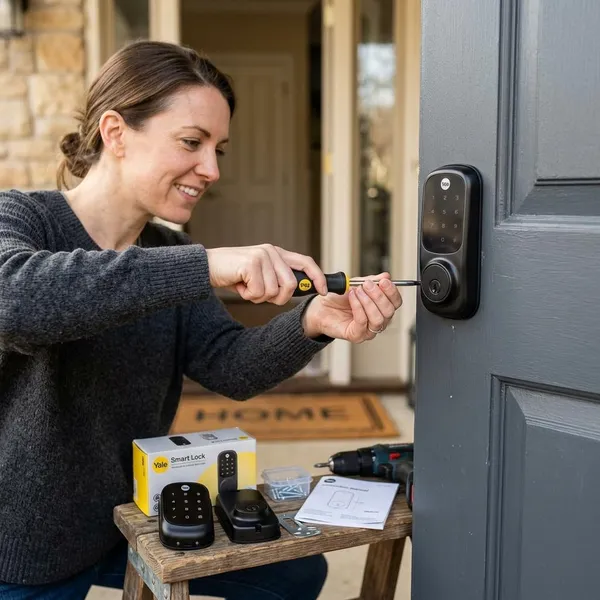
Many Yale locks are DIY-friendly, especially standard deadbolt replacements on doors that are already correctly prepared. The warning sign is not the electronics; it is usually the door, frame, or lock type.
If the current lock turns smoothly, the holes match, and the instructions are clear, a careful DIY install is realistic. If the door sticks, the lock is mortice-based, or the fitting requires cutting, professional help is the safer route.
Standard deadbolt replacements are usually DIY-friendly
A standard deadbolt replacement is often the simplest Yale installation. Most of the job is removing the old hardware, fitting the latch and exterior keypad, connecting the interior assembly, and testing the bolt before final tightening.
Retrofit locks need fewer door changes
Retrofit locks are helpful when you want fewer visible changes, especially in a rental or apartment where replacing exterior hardware may not be allowed. They usually work with part of the existing lock instead of replacing everything.
Ask permission where required, and keep the original parts if you may need to restore the door later.
Most installations need a screwdriver
For many prepared doors, a screwdriver is the main tool. That does not mean the job is impossible to get wrong: overtightened screws, pinched cables, or a slightly crooked mounting plate can cause annoying faults.
- Test the old lock before removal.
- Keep screws snug, not forced.
- Check manual locking before setting up the app.
Mortice locks may need professional fitting
Mortice locks are more demanding because the lock body sits inside the door and the tolerances can be tighter. Cutting, chiselling, or adapting the door is not a good place to learn by trial and error.
If the door is expensive, old, fire-rated, or part of a building-managed entrance, get professional fitting or written guidance before changing the lock.
Conclusion
The right Yale lock is the one that fits your door cleanly and gives the right people an entry method they will actually use. Start with compatibility and daily routine, then add smart features only where they solve a real problem; that usually leads to a better choice than buying the most advanced model first.