
For most 65-inch TVs, the safest starting point is a stand that is at least 57 inches wide, with 60 to 70 inches being the better everyday fit. When comparing tv stands for 65 inch television setups, check the TV's real width, the base or feet, the stand's weight rating, and whether your room has enough space for storage, cables, and airflow.
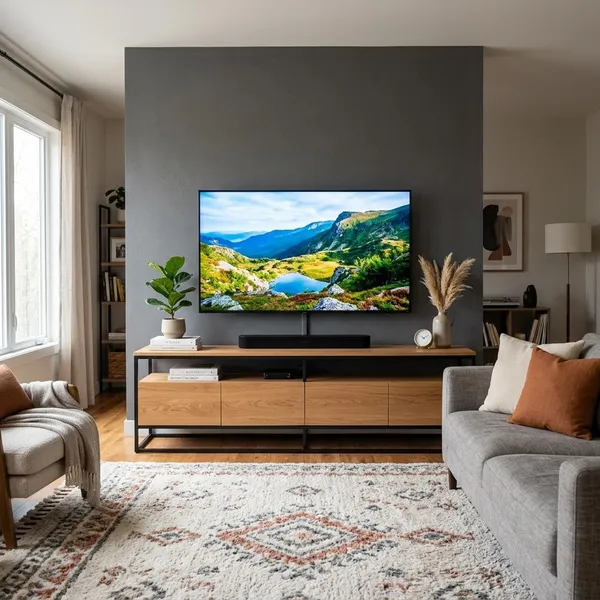
How wide should a TV stand be for a 65-inch TV?
A 65-inch TV is measured diagonally, so the actual width is usually around 57 inches. That makes 57 inches the bare minimum for many models, but it is not always the most comfortable choice. A stand in the 60- to 70-inch range usually looks more balanced and gives you more room for real-life use.
| Stand width | Best for | What to watch |
|---|---|---|
| About 57 inches | Tight spaces or TVs with a compact center base | Little room for error, accessories, or visual balance |
| 60 to 70 inches | Most living rooms and standard media setups | Still measure the TV feet and stand depth |
| 70 inches or wider | Large walls, gaming gear, soundbars, and extra storage | Can overpower a small room if the cabinet is too bulky |
How do you measure for the right TV stand?
Measure before you shop, not after you find a stand you like. A few minutes with a tape measure will tell you whether the TV fits safely, whether the cabinet fits the room, and whether your devices will actually have a place to go.
Use the product listing only after you have your own numbers. Some listings show the total cabinet width but do not make it obvious how much flat top surface, shelf height, or usable depth you really get.
Measure the TV's full width
Measure from the left outside edge of the TV to the right outside edge. Do not use the 65-inch diagonal screen size as the stand width. If the stand is narrower than the TV, the setup may technically function but often looks top-heavy.
Measure the feet or center base
The TV's support points matter more than the screen size when you are deciding whether it can sit on a specific stand. For two-leg designs, measure the outer edge of one foot to the outer edge of the other. For a center pedestal, measure both width and depth.
A smaller stand can be acceptable only when the base sits completely on the surface and the stand is rated for the TV's weight. If the feet sit near the edges, choose a wider stand instead of trying to make it work.
Measure the available floor space
Mark the stand's likely footprint on the floor with painter's tape if you are unsure. This quickly shows whether the cabinet will block a walkway, crowd a doorway, cover a vent, or make nearby furniture feel too tight.
For a long-term living room setup, leave more clearance than you think you need. For a guest room or occasional-use space, a slimmer console may be enough as long as the TV and base fit safely.
Measure space for accessories and airflow
Measure the devices you actually use: soundbar, game console, streaming box, router, receiver, charging dock, and controllers. Then check shelf height, shelf depth, rear openings, and whether closed cabinets have room for heat to escape.
- Soundbar: confirm it fits without blocking the screen.
- Game console: leave space around it for airflow.
- Router or cable box: make sure cables can exit cleanly.
- Receiver: check depth carefully, including plugs at the back.
Which TV stand style suits your room?
The right style depends less on trends and more on how the room works. A formal living room, a gaming corner, a small apartment, and a cozy den all ask different things from a TV stand.
Start with the problem your room needs solved. If clutter is the issue, choose storage. If floor space is tight, consider floating or corner designs. If you want the safest all-around choice, a standard media console is usually the easiest place to begin.
Media consoles suit most living rooms
Media consoles are the safest default for a 65-inch TV because they usually come in the right widths and offer a mix of open shelves, drawers, and cabinets. They work especially well when the TV is the main screen in the house and the stand needs to handle daily use.
Floating stands suit modern small spaces
Floating stands make a room feel lighter because they keep the floor clear. They are a good fit for apartments, narrow rooms, or modern spaces where you want the TV area to look clean rather than furniture-heavy.
They do need more planning. The wall must be suitable for the load, installation has to be solid, and cable hiding is harder to fix later if you rush it.
Corner stands suit awkward layouts
A corner stand can solve a layout problem when there is no good straight wall for the TV. It can work in bedrooms, rental spaces, or living rooms where windows, doors, or fireplaces interrupt the main wall.
Check the top shape carefully. Some corner units taper toward the back, so the listed width may sound generous while the usable surface is smaller than expected.
Storage consoles suit gaming setups
Gaming setups usually need more than a shelf for one console. Look for space for controllers, headsets, chargers, physical games, extra HDMI cables, and a router or dock if those live near the TV.
- Open shelves help devices cool during longer sessions.
- Drawers hide controllers and small accessories.
- Adjustable shelves make future upgrades easier.
Fireplace stands suit cozy media rooms
Fireplace stands are more about atmosphere than maximum storage. They can make a den, basement, or relaxed family room feel warmer and more finished, especially when the TV wall otherwise looks plain.
Be more careful with sizing here. The fireplace insert often takes up the center space, so check the remaining shelf layout, top width, weight rating, and the manufacturer's guidance for heat and clearance.
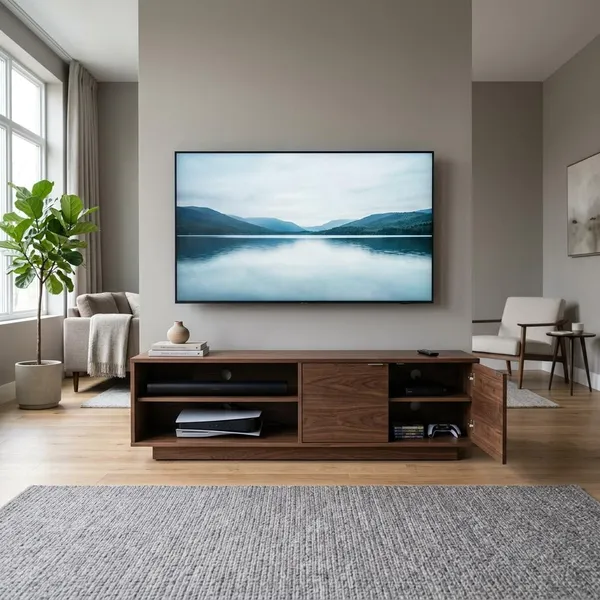
Which features matter in a 65-inch TV stand?
The features that matter most are the ones that affect safety and daily use: strong construction, enough storage, cable access, ventilation, flexible shelves, and anti-tip hardware. Finish and color still matter, but they should come after the stand proves it can support the TV properly.
Strong materials and stable construction
Look for a stand that feels planted, level, and rated above the TV's actual weight. Reinforced engineered wood, solid wood, and metal frames can all work, but thin panels, wobbly legs, or a narrow base are warning signs.
Include anything that will sit on top when you think about weight: a soundbar, center speaker, decor, or storage baskets. A little extra capacity is more reassuring than choosing a stand that barely meets the number.
Enough storage for connected devices
Good storage matches your habits. A simple streaming setup may only need one open shelf and a drawer, while a household with gaming gear, remotes, chargers, and spare cables will be easier to live with if the stand has both open and hidden storage.
Cable openings and proper ventilation
Rear cable openings keep cords from turning into a knot behind the cabinet. Ventilation is just as important if you use consoles, receivers, or other devices that warm up during use.
- Prefer open backs or vented panels for electronics.
- Avoid squeezing consoles into tight closed cubbies.
- Check that plugs fit without forcing the cabinet away from the wall.
Adjustable shelves for flexible storage
Adjustable shelves are useful because media gear changes. A shelf that fits a streaming box today may need to hold a taller console, speaker, or storage bin later.
Anti-tip hardware for added safety
Anti-tip hardware is worth using, especially in homes with children, pets, or high-traffic rooms. It helps secure the furniture to the wall and reduces the risk of the stand tipping if it is pulled, climbed on, or bumped.
A wall anchor does not make a weak stand strong, so treat it as added protection rather than a substitute for proper width, stable construction, and a safe weight rating.
Conclusion
A 65-inch TV usually looks and works best on a stand that is wider than the screen, properly rated for the load, and practical for the devices you use every day. If you are unsure, start with a 60- to 70-inch stand, measure the TV base before buying, and choose more storage or width only when your room can comfortably handle it.