
The safest way to clean a television is to start dry, use almost no pressure, and only add moisture if a mark will not lift. A clean microfibre cloth handles most dust and light fingerprints; harsh cleaners, paper products, and direct sprays are the things most likely to cause damage.
How do you clean a television screen safely?
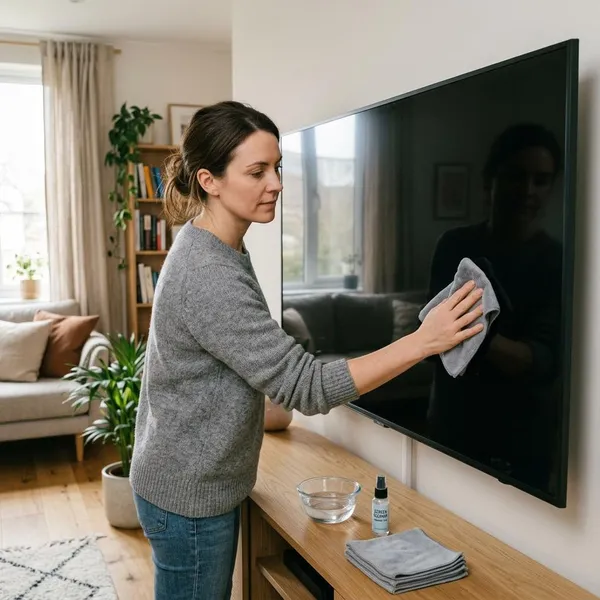
Safe TV cleaning is mostly about control: turn the screen off, let it cool, remove loose dust first, and keep any moisture on the cloth rather than on the panel. If the screen is only dusty, do not make the job bigger than it needs to be.
Turn off and unplug the TV
Start by turning the TV off and unplugging it. A dark screen makes dust, fingerprints, and streaks easier to see, so you can clean the actual marks instead of rubbing the whole panel for no reason.
This is especially worth doing with a wall-mounted TV or a large screen. If you have to stretch, reposition yourself first rather than leaning into the panel; awkward reaching often leads to too much pressure.
Let the screen cool
Give the screen a few minutes to cool before wiping it. A warm panel can make a barely damp cloth dry unevenly, which is one reason streaks appear even when you used the right material.
Remove dust with a dry cloth
Use a clean, soft microfibre cloth and wipe gently in one direction or from top to bottom. This removes loose dust before it can be dragged across the surface.
If the TV sits near an open window, a fan, a fireplace, or a shelf that collects dust, this dry step matters more. Grit can be hard to see, but it can still scratch if you press while wiping.
Dampen the cloth only when needed
Only dampen the cloth if a dry wipe leaves a visible mark. The cloth should feel slightly damp, not wet, and it should not leave droplets behind.
Distilled water is usually the safest simple choice. If your TV maker recommends a specific screen cleaner, apply a small amount to the cloth first; never treat the screen like a window and spray it directly.
Wipe gently without pressing
Use light, even pressure. If a smudge does not move straight away, make another gentle pass instead of scrubbing.
For a stubborn spot, fold the cloth into a soft flat pad and wipe slowly. Do not use a fingernail under the cloth, because that turns a soft material into a hard point against the screen.
Dry the screen before reconnecting power
Finish with a second dry microfibre cloth, especially along the lower edge and corners where moisture can collect. Wait until the screen and frame look fully dry before plugging the TV back in.
How do you remove fingerprints from a TV screen?
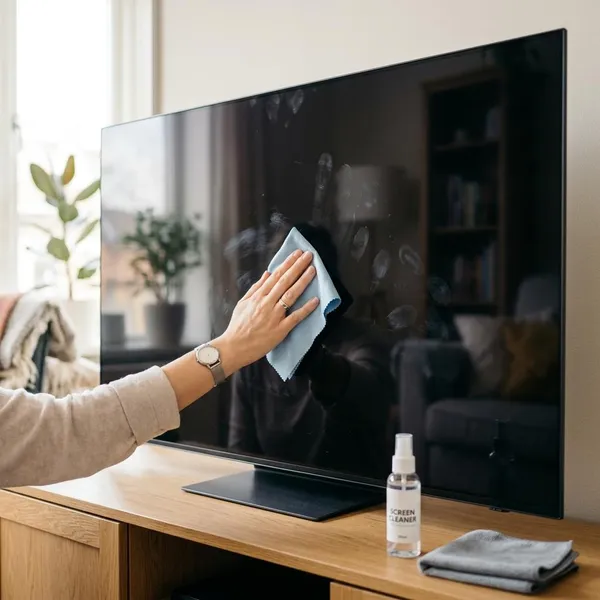
Fingerprints need a little more patience than dust because they contain skin oils. The right approach is still gentle: try dry first, use a barely damp cloth only if needed, then dry the area so the mark does not turn into a streak.
Try a dry microfibre cloth first
Begin with a clean, dry microfibre cloth and wipe the fingerprint lightly. Stop if the mark starts spreading rather than lifting; that usually means the oil needs a tiny amount of moisture, not more force.
Add a small amount of approved liquid to the cloth
If the fingerprint remains, add a very small amount of distilled water or manufacturer-approved screen cleaner to the cloth. The safe test is simple: the cloth should not drip, and the screen should not look wet after one pass.
Wipe the mark with light pressure
Work on the fingerprint itself rather than cleaning the entire screen. Use slow, light strokes and switch to a clean part of the cloth if the oil starts to smear.
For a larger greasy patch, wipe from the outside toward the centre. That helps keep the mark contained instead of spreading it into a wider cloudy area.
Remove any moisture with a dry cloth
Follow immediately with a dry microfibre cloth. This step is what turns "clean but streaky" into actually clear, especially on glossy screens that catch daylight.
Let the screen dry fully
Leave the TV off until the screen, frame, and lower edge are dry. If you cleaned close to ports, buttons, or the bezel, give it a little longer rather than rushing to turn it back on.
What should you never use on a TV screen?
The main things to avoid are strong chemicals, rough materials, and uncontrolled liquid. Most screen damage does not happen because someone cleaned the TV once; it happens because the wrong product or too much pressure is used repeatedly.
If you are unsure, choose the lowest-risk method first: dry microfibre, then a barely damp cloth only for marks that remain.
Window or glass cleaner
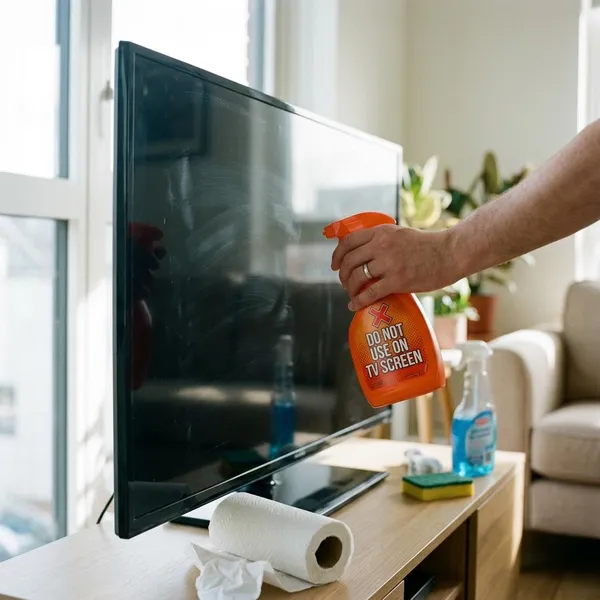
Window cleaner is not a safe shortcut for a modern TV screen. Flat-screen panels often have coatings that can become dull, patchy, or streak-prone when treated like ordinary glass.
Alcohol or ammonia
Alcohol and ammonia are risky unless your TV manufacturer clearly approves a specific product. Fast evaporation does not make a cleaner safe; it can still affect the coating before it dries.
This is one of those cases where "stronger" is not better. If a dry cloth and distilled water do the job, there is no useful reason to add a harsher chemical.
Soap and household sprays
Soap, kitchen sprays, bathroom sprays, and multi-surface cleaners can leave residue that is harder to remove than the original fingerprint. Many also contain fragrances or degreasers that are not meant for display coatings.
Paper towels and tissues
Paper towels and tissues may feel soft, but they can leave lint and fine scratches, especially if dust is already on the screen. Use microfibre instead, and keep one cloth just for electronics if possible.
Rough cloths and abrasive pads
Do not use old rags, textured dishcloths, scrub pads, or anything with a rough side. Even a quick wipe can leave marks that are most visible when the screen is off or when sunlight hits it.
Liquid sprayed directly onto the screen
Never spray liquid directly onto the screen. It can run into the lower bezel, seams, buttons, speakers, or ports before you notice it.
The safer habit is to spray or dab the cloth lightly, then wipe only the area that needs attention. This matters even more if the TV is above a console with cables, game systems, or a soundbar underneath, where small drips can reach other electronics.
Conclusion
A television usually needs less cleaning than people think: dry microfibre first, minimal moisture only for stubborn marks, and no pressure or harsh products. If you treat the screen as a delicate coated surface rather than a piece of glass, you can remove dust and fingerprints without creating the scratches, streaks, or moisture problems that are much harder to fix.