
If you already use Google Home, YouTube, Google Photos, and want a camera-free screen, the Nest Hub is usually the safer pick. If your home runs on Alexa, Ring, Prime Video, or you want video calls, Echo Show is usually the better fit. The quickest way to decide in the Google Nest Hub vs Echo Show comparison is to choose by ecosystem first, then by room and camera comfort.
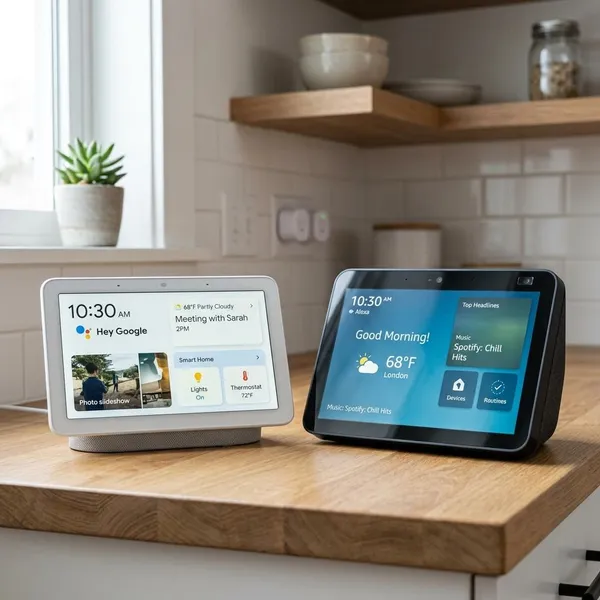
Google Nest Hub vs Echo Show key differences
Both are smart displays, but they are not trying to be the same device. Nest Hub feels more like a calm Google-powered home screen. Echo Show feels more like an Alexa communication and control screen with more hardware choices.
| Decision point | Google Nest Hub | Echo Show |
|---|---|---|
| Best ecosystem fit | Google Home, YouTube, Google Photos, Google Calendar | Alexa, Amazon services, Ring, Echo speakers |
| Camera comfort | Standard model has no camera | Many models include a camera for calls and related features |
| Media strength | YouTube and photo display | Prime Video, Amazon Music, Alexa-based media control |
| Room fit | Bedrooms, nightstands, simple kitchens | Family rooms, shared kitchens, communication spots |
| Main mistake to avoid | Buying it when your home is already mostly Alexa | Putting a camera model where people feel uncomfortable |
Nest Hub centers on the Google ecosystem
Nest Hub makes the most sense when your daily life already sits inside Google. It is convenient for checking Google Calendar, showing Google Photos, using Google Assistant, controlling Google Home devices, and watching YouTube without awkward workarounds.
Echo Show centers on the Alexa ecosystem
Echo Show is the easier choice if your home already has Echo speakers, Alexa routines, Ring devices, or regular Amazon media use. It can show timers, compatible camera feeds, shopping reminders, lists, and smart home controls in a way that fits naturally into an Alexa household.
- Choose Echo Show first if your routines already live in the Alexa app.
- Choose Nest Hub first if you would otherwise need to rebuild your smart home setup around Alexa.
- Do not switch ecosystems just for one display unless a specific feature, such as video calling, matters more than convenience.
Nest Hub keeps the standard display camera-free
The standard Nest Hub avoids the biggest privacy concern many people have with smart displays: an indoor camera. That makes it easier to place on a nightstand, in a guest room, or in a home office where a visible lens would feel distracting.
Echo Show adds camera-based features
Echo Show models with cameras can be much more useful for families who want video calls, quick check-ins, or room-to-room communication. The trade-off is simple: the same camera that makes the device more capable can also make it feel less welcome in private spaces.
This is where household comfort matters. A camera on a kitchen counter may feel normal, while the same device beside a bed may feel wrong even with a shutter closed.
Echo Show offers more screen size options
Amazon gives you more choice if screen size is a priority. A smaller Echo Show can work on a side table, while a larger model is easier to read from across a kitchen or family room.
Nest Hub keeps the decision simpler, which is nice if you want a compact, low-key display. But if several people need to see recipes, doorbell views, or family reminders from a distance, Echo Show's wider lineup is a real advantage.
Which is better for smart home control?
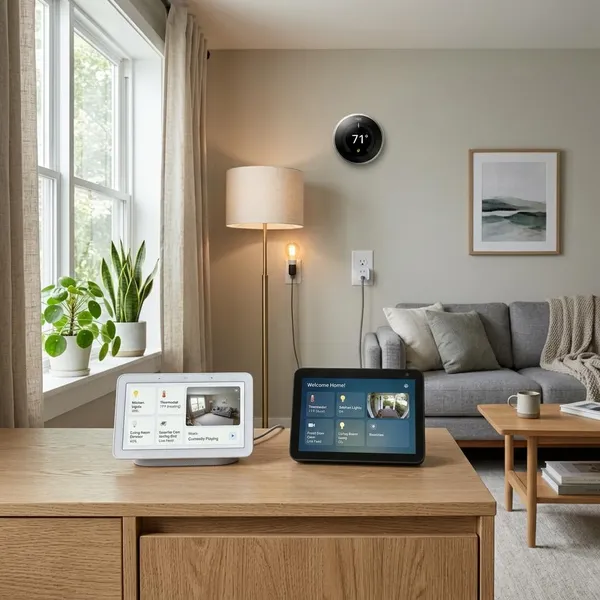
For smart home control, start with the app and devices you already use. A smart display should reduce friction, not force you to rebuild rooms, routines, and device groups from scratch.
Nest Hub fits Google Home users best
Nest Hub is the better smart home screen for people who already use Google Home. It works well for everyday controls such as turning lights on and off, checking supported cameras, starting routines, and managing rooms from a simple visual interface.
Echo Show fits Alexa users best
Echo Show is the better fit when Alexa is already the voice assistant people use around the house. It suits homes with Echo speakers in several rooms, Ring devices, compatible cameras, smart plugs, and routines that involve multiple actions.
- Pick Echo Show if camera feeds, Alexa announcements, and household routines matter most.
- Pick Nest Hub if your controls are mostly in Google Home and you want a quieter interface.
- Be careful with mixed setups because some devices may work better in one platform than the other.
Which is better for media and entertainment?
Nest Hub is usually better if YouTube and Google Photos are central to how you use a smart display. Echo Show is usually better if your media habits lean toward Prime Video, Amazon Music, and Alexa-based playback.
Neither device should be treated like a tablet replacement. They are best for quick viewing, background audio, recipes, short clips, photo slideshows, and glanceable information while you are doing something else.
Nest Hub works well with YouTube and Google Photos
YouTube is one of the clearest reasons to choose Nest Hub. If you often watch recipe steps, DIY clips, workout videos, or quick explainers, native YouTube access is more useful than it sounds on paper.
Google Photos is the other everyday advantage. When the display is not being actively used, it can work as a clean digital photo frame, which makes it feel less like another gadget and more like part of the room.
Echo Show works well with Amazon media services
Echo Show is stronger when your entertainment already comes through Amazon. Prime Video, Amazon Music, Audible, Alexa voice control, and Amazon account features are naturally more integrated.
In a shared kitchen or family room, that can be enough. Someone can start music, check a list, watch a short video, or control a smart device without reaching for a phone.
Both suit quick viewing more than tablet-style use
A smart display stays in one place, so it works best for moments when your hands or attention are partly busy. Think checking the next recipe step, glancing at a doorbell feed, playing music while cleaning, or watching a short clip while making coffee.
If you want long personal viewing, a tablet or TV is still better. If you want a screen that supports chores, routines, and background media, both devices can work well.
Which is better for privacy and communication?
This is the clearest trade-off: Nest Hub is better if avoiding an indoor camera matters most, while Echo Show is better if video calls and family communication matter most. Do not treat this as a small detail, because it affects where the device feels comfortable in your home.
Nest Hub avoids an indoor camera
Nest Hub's camera-free design makes it easier to recommend for bedrooms, guest rooms, and private workspaces. You do not have to remember to close a shutter or explain to visitors whether a camera is active.
That simplicity is useful for privacy-conscious households. If someone in the home dislikes indoor cameras, choosing a camera-free display can prevent an everyday source of discomfort.
Echo Show supports video calls
Echo Show is the stronger choice for face-to-face communication. It can be useful for grandparents calling family, parents checking in hands-free from the kitchen, or a busy household using a shared screen instead of passing around phones.
If you rarely make video calls outside your phone, this feature may not matter. If your display will sit in a common area and help people stay connected, it may be the main reason to buy Echo Show.
Echo Show adds camera and mic privacy controls
Many Echo Show models include practical privacy controls such as a microphone mute button and a physical camera shutter. Those controls are worth having, especially because they are visible and quick to use.
Still, a covered camera is not the same as no camera. For a living room or kitchen, the controls may be enough. For a bedroom, some people will still feel better with Nest Hub.
Which smart display fits each room?
Room placement can change the answer more than specs do. A display for a nightstand needs to feel calm and private. A display for a family room needs to be visible, shared, and useful to more than one person.
Nest Hub for bedrooms and nightstands
Nest Hub is usually the better bedroom choice because the standard model has no camera. It still handles alarms, weather, music, routines, smart lights, and photo display, but it avoids the awkwardness of placing a camera near the bed.
For someone who mainly wants a gentle morning screen and bedside smart home control, that is enough. Extra communication features are less valuable if they make the room feel less private.
Nest Hub for simple kitchen help
Nest Hub also works well in a simple kitchen setup, especially if you use YouTube for cooking clips or Google Assistant for quick questions. Timers, conversions, recipe steps, weather, and music are the kinds of tasks where a small fixed screen is genuinely convenient.
- Good fit: casual cooking, quick videos, family photos, basic smart home control.
- Less ideal: a large open kitchen where several people need to read the screen from far away.
Echo Show for family communication
Echo Show fits best in shared areas where the camera and speaker features have a clear purpose. A kitchen counter, hallway table, or family room shelf makes more sense than a private nightstand.
In a household with kids, older relatives, or multiple Echo devices, the display can become a small communication hub for calls, announcements, reminders, and compatible camera views.
Larger Echo Show models for bigger shared spaces
Larger Echo Show models are more practical when the screen needs to be seen from across the room. That matters for recipes, calendars, camera feeds, and shared reminders in open kitchens or living areas.
The main warning is not to buy a bigger screen just because it looks more capable. If it will sit close to your face on a desk or bedside table, a large display can feel intrusive rather than helpful.
Conclusion
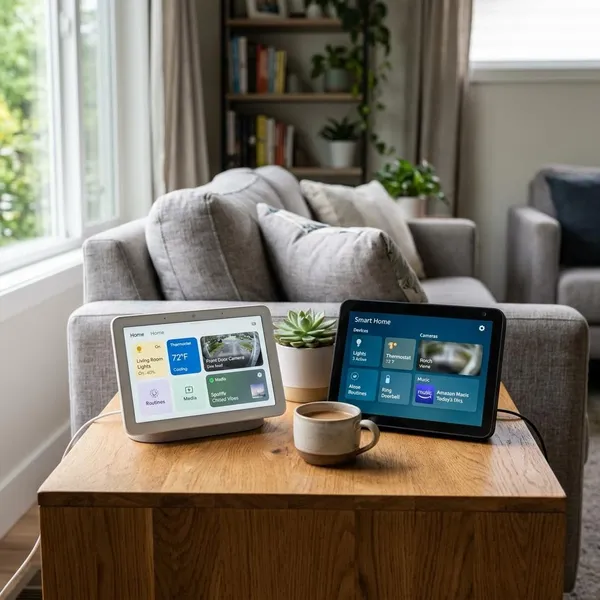
Choose Nest Hub if you want a camera-free, Google-friendly display for photos, YouTube, simple smart home control, or a bedroom. Choose Echo Show if Alexa already runs your home, video calls matter, or you need a larger shared screen. The best buy is the one that fits your existing services and the room where it will actually sit, not the one with the longest feature list.