
The google nest hub 2nd gen still makes sense if you want a small, camera-free Google smart display for a bedroom, kitchen, or simple smart home setup. It is not the best choice for premium sound, serious video, or video calls, but it remains useful for routines, alarms, photos, Google Home controls, and Sleep Sensing if the price and support status in your region look right.
What is the Google Nest Hub 2nd Gen?
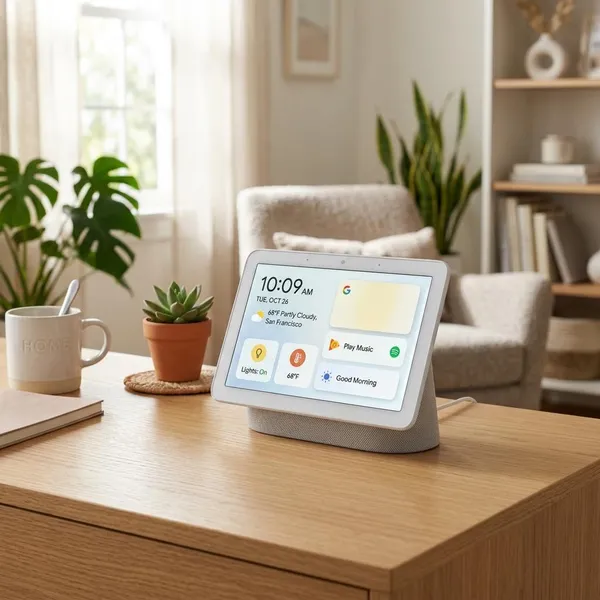
The Google Nest Hub 2nd Gen is a compact smart display with a 7-inch touchscreen, built-in speaker, far-field microphones, and Google Home controls. Think of it as a shared household screen rather than a small tablet: it is best for quick checks, voice commands, routines, and glanceable information.
A 7-inch Google smart display
The 7-inch screen is large enough for weather, timers, calendar cards, recipe steps, camera previews, and photo slideshows, but small enough to sit on a nightstand or narrow kitchen counter without taking over the space.
That size also sets a clear limit. It is fine for quick YouTube clips, recipe videos, or checking who is at the door, but it is not a display you buy for long movie sessions or detailed browsing.
A voice-controlled smart home dashboard
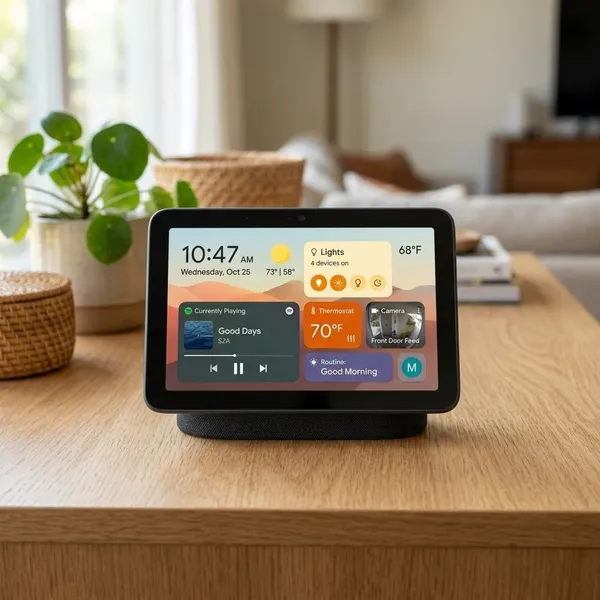
As a smart home dashboard, the Nest Hub 2nd Gen is most useful when you already have devices in Google Home. Lights, thermostats, plugs, supported locks, and compatible cameras become easier to reach from one shared screen instead of everyone needing to open separate apps.
- Best fit: homes with a few everyday devices, such as lights, a thermostat, and a doorbell camera.
- Less useful: homes with no smart devices yet, unless you mainly want alarms, photos, and Assistant.
- Common mistake: buying it before checking whether your existing devices work well with Google Home.
A camera-free bedside display
The no-camera design is one of the strongest reasons to choose this model for a bedroom. You still get a clock, alarms, voice control, routines, sleep features, and visual information, but without a camera pointed toward the bed.
A speaker and digital photo frame
Idle time is where the Nest Hub often feels more valuable than a normal smart speaker. It can show Google Photos albums, a clock, or ambient information, so it still earns its place even when nobody is actively using voice commands.
Audio is good enough for podcasts, radio, sleep sounds, and background music in a smaller room. If you care about deep bass or room-filling sound, treat the speaker as a convenience feature, not the reason to buy it.
What are its main features?
The main features are built around daily convenience: Google Assistant, smart home control, Motion Sense, Sleep Sensing, media playback, photo display, and privacy controls. The important question is not whether the device has many features, but whether you will use the same few features every day.
Google Assistant and Gemini features
Google Assistant is still the core experience on the Nest Hub 2nd Gen. You can ask questions, set timers, create alarms, start routines, control smart home devices, play media, check weather, and get calendar information hands-free.
Google's newer Gemini-related direction is worth watching, but it should not be the main reason to buy this older display. Availability can depend on region, account settings, language, rollout stage, and Google's own product decisions, so buy it for the Assistant and Google Home features you can confirm today.
Matter and Thread smart home control
Matter and Thread support help the Nest Hub 2nd Gen stay relevant in a mixed smart home. Matter is meant to make compatible devices work across ecosystems more easily, while Thread can help certain low-power smart home devices communicate through a mesh network.
Motion Sense and Sleep Sensing
Motion Sense uses radar-based sensing for small hands-free actions, such as gesture control near the display. It is not a full gesture navigation system, but it fits naturally beside a bed where touching the screen is not always convenient.
Sleep Sensing is more distinctive. When placed correctly on a bedside table, the Nest Hub can estimate sleep patterns without requiring a watch, ring, or band. It may appeal to someone who wants general sleep trends but dislikes wearing a tracker at night.
- Check before relying on it: current Sleep Sensing availability, region support, and any subscription or account requirements.
- Use it for: broad sleep patterns and habit awareness.
- Do not use it as: a medical sleep diagnosis tool.
Music, video, photos, and Chromecast
The Nest Hub 2nd Gen works well for casual media: playlists while cooking, podcasts while getting ready, short videos, news clips, and photo slideshows. It can also act as a Chromecast target for compatible content, which makes it easy to send media from a phone.
Microphone controls with no camera
The device has far-field microphones for voice commands and a physical microphone mute switch. That visible switch is useful because privacy does not depend only on digging through settings.
When the microphones are muted, voice control stops until you turn them back on. That is the expected tradeoff, and it is easier to accept because the control is physical and obvious.
What can you use it for?
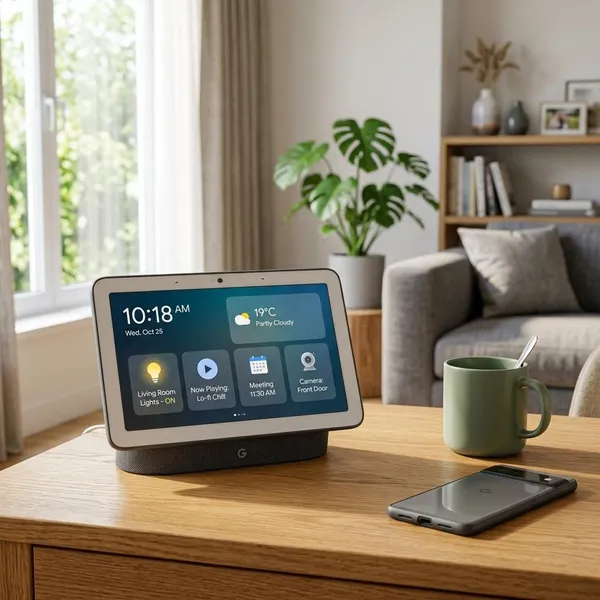
The best uses are repeated household tasks: turning devices on and off, setting timers, checking the weather, running routines, viewing photos, playing background audio, and using Sleep Sensing from a bedside table. It becomes more valuable when it removes small daily annoyances rather than when you expect it to behave like a tablet.
Control lights, locks, cameras, and thermostats
For smart home control, the Nest Hub is most helpful in rooms where a shared control point makes sense. A hallway display can show camera feeds or control lights; a bedroom display can manage lamps, alarms, and nighttime routines; a kitchen display can handle timers and nearby lights without touching a phone.
Play music, videos, and podcasts
Use it for casual listening, not serious audio. Podcasts, radio, news, sleep sounds, and background playlists are the natural fit, especially in a bedroom, kitchen, or small office.
If you already own a better speaker, the Nest Hub can still be useful as the control screen while another device handles the sound.
View photos, weather, calendars, and recipes
This is one of the most practical everyday uses. A quick glance can show the time, forecast, calendar events, reminders, commute information, or recipe steps without unlocking a phone.
For a family kitchen, photo albums and recipes may matter more than smart home features. For a single bedroom setup, weather, alarms, and calendar cards may be the features you notice every morning.
Run routines, timers, and alarms
Routines, timers, and alarms are the features that make the device feel useful after the novelty fades. A good morning routine might turn on lights, give the weather, read calendar events, and start music. A bedtime routine might dim lights, set an alarm, and play sleep sounds.
- Place the device in the room where the routine actually happens.
- Link only the services you use, such as your calendar, music provider, and smart home devices.
- Create one or two routines first instead of trying to automate everything at once.
Track sleep from a bedside table
Sleep tracking is best treated as a low-effort habit tool. If you hate wearing a smartwatch overnight, a bedside display can be easier to live with because it works passively once set up correctly.
Placement matters. Put it where Google recommends for Sleep Sensing, keep the bedside area reasonably consistent, and check current feature terms before buying it mainly for sleep tracking.
What are the main pros and cons?
The Nest Hub 2nd Gen is easy to recommend for the right person and easy to skip for the wrong one. Its strengths are privacy, simple Google Home access, hands-free routines, and bedside usefulness. Its weaknesses are older hardware, modest media quality, no camera, and uncertain long-term access to the newest Google features.
| If this is your priority | Buying judgment |
|---|---|
| Bedroom clock, alarms, routines, and no camera | Still a strong fit |
| Kitchen timers, recipes, and background audio | Good if the price is sensible |
| Video calls or a family communication screen | Choose something with a camera |
| Premium sound or a larger display | Look at newer or larger alternatives |
| Long-term access to every new Google AI feature | Be cautious and check current support |
Good privacy for bedroom use
Privacy is the cleanest win. A camera-free smart display feels much easier to place beside a bed than a screen with video hardware, especially if you mainly want alarms, routines, sleep sounds, and quick morning information.
The microphone mute switch adds another layer of control, though it also removes voice commands while it is off. For many bedroom users, that is a fair and understandable tradeoff.
Simple Google Home controls
The Google Home controls are simple enough for shared household use. Someone who does not want to manage phone apps can still tap a light, check a room, or use a voice command.
Useful hands-free routines
Hands-free routines are not flashy, but they are often the feature that makes people keep using the device. Repeating one phrase to handle several small actions is much easier than opening apps or giving separate commands every morning and night.
Modest sound and screen quality
The screen and speaker are acceptable, not impressive. That is fine for timers, recipes, short videos, podcasts, and background music, but it is the wrong expectation for a main entertainment device.
Room choice changes the verdict. In a small bedroom, the limitations are easy to forgive. In a living room where sound and screen quality matter more, they become harder to ignore.
No camera or video calling
No camera means better comfort in private spaces and no built-in video calling. Whether that is a benefit or a flaw depends on where the display will live.
Older hardware with limited availability
The Nest Hub 2nd Gen launched in 2021, so age should affect how much you are willing to pay. It can still be a good buy at a discount, but it is harder to justify if it costs close to newer smart displays or better speakers.
- Buy it: for a discounted bedroom or kitchen display with Google Home controls.
- Pause: if official stock is unclear or resale prices are inflated.
- Skip it: if you need video calls, stronger audio, a larger screen, or the newest platform features.
Conclusion
The Google Nest Hub 2nd Gen is still worth considering when the price is right and your needs are realistic: bedside privacy, simple smart home control, routines, photos, timers, and casual media. I would check current availability, Sleep Sensing terms, and Google support details before buying, then choose it only if those basics match how you will actually use it day to day.