
The best smart home hubs are not the same for every home: pick by ecosystem first, then by protocol support. Homey Pro is the broadest choice for mixed devices, Echo Hub makes sense for Alexa homes, Apple TV 4K is the easy Apple Home pick, Google TV Streamer fits Google households, Home Assistant Green is best for local automation, and Aeotec Smart Home Hub 2 is a strong SmartThings option.
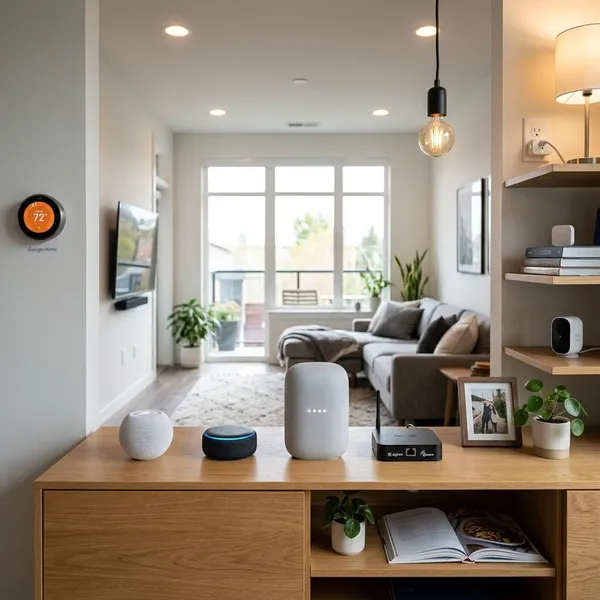
What are the best smart home hubs right now?
Start with the system your household already uses every day. An iPhone-heavy home will usually be happier with Apple Home than with a more flexible but fussier setup. A home full of Alexa speakers will get more value from an Echo-based hub than from a platform nobody else in the house opens.
| Best fit | Hub to consider | Choose it if... |
|---|---|---|
| Mixed-device homes | Homey Pro | You own, or expect to own, devices across several protocols and brands. |
| Alexa homes | Amazon Echo Hub | You want a shared wall screen for lights, locks, cameras, and routines. |
| Apple households | Apple TV 4K | Your family already uses iPhones, Apple Home, Siri, and Apple services. |
| Google Home users | Google TV Streamer | You want Google Home control built into an entertainment device. |
| Local automation | Home Assistant Green | You care more about control, privacy, and flexibility than plug-and-play ease. |
| SmartThings setups | Aeotec Smart Home Hub 2 | You want SmartThings with broader radio support than a basic speaker hub. |
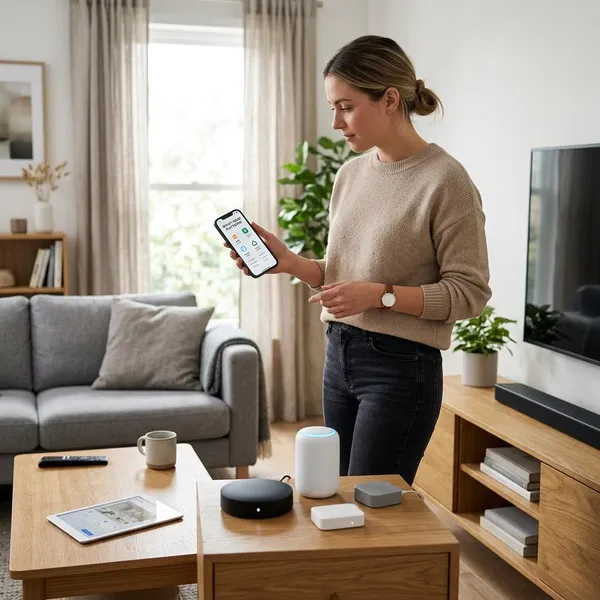
What type of smart home hub should you choose?
The quickest way to choose is to decide how the home will actually be controlled. A renter with five smart bulbs does not need the same hub as someone wiring up sensors, locks, thermostats, blinds, and energy monitoring across a whole house.
- Pick your main ecosystem: Apple Home, Alexa, Google Home, SmartThings, Home Assistant, or Homey.
- List your existing devices: especially Zigbee, Z-Wave, Thread, and brand-specific bridges.
- Decide your control style: voice, phone app, wall screen, automations, or local dashboards.
- Plan for the next year: sensors and locks may need different support than cameras and speakers.
A dedicated hub for broader device support
A dedicated hub makes sense when your home has grown in layers. Maybe you started with Hue lights, added Z-Wave contact sensors, bought Matter plugs, and now want one place to run automations. Homey Pro and Aeotec are more suitable for that kind of mixed setup than a basic smart speaker.
A smart display for touch controls
A smart display or wall panel is best when several people need simple access. This matters in family homes, rentals with guests, or shared spaces where "open the app on my phone" is not practical.
- Works well for: scenes, room controls, doorbells, cameras, and quick status checks.
- Watch out for: limited advanced automation compared with local-first platforms.
A smart speaker for voice-first control
A smart speaker is the easiest starting point if you mainly want to say "turn off the lights," "lock the door," or "set the thermostat." It is a good fit for apartments, bedrooms, and small homes where voice commands cover most daily actions.
The downside appears when the device list grows. Voice is quick for one action, but clumsy for checking twenty devices, reviewing camera feeds, or troubleshooting why a routine failed.
A local server for advanced automation
A local server is for the person who wants the home to make decisions, not just obey commands. Home Assistant Green can combine motion, presence, time, weather, power use, and device state in ways most mainstream hubs do not handle as gracefully.
This is also the better path if internet outages are a real concern. Many cloud-connected systems become less useful when the connection drops; a local setup can keep key automations working, depending on the devices and integrations involved.
An ecosystem hub for simpler setup
An ecosystem hub is usually the right first choice when you already know your platform. Apple users should seriously consider Apple TV 4K or HomePod. Alexa households should start with Echo options. Google Home users should stay with compatible Google devices unless they have a clear reason not to.
The tradeoff is flexibility. Ecosystem hubs are comfortable, polished, and easier to support, but they may not expose every feature from every device. That is acceptable for many homes; it is frustrating only when you expect full control across every brand.
Which smart home protocols does your hub need?
Your hub needs the protocols used by the devices you own and the categories you plan to add next. Do not buy from the hub name alone; check the actual radios and standards, especially if you already own Zigbee or Z-Wave accessories.
Matter for cross-platform device control
Matter is worth prioritizing for new purchases because it reduces ecosystem lock-in. A Matter plug, bulb, lock, or sensor is more likely to work across Apple Home, Alexa, Google Home, SmartThings, and other compatible systems than older platform-specific devices.
Still, Matter is not a magic "works perfectly everywhere" label. Check whether your chosen platform supports that device category and whether the feature you care about is included, not just basic on/off control.
Thread for low-power mesh devices
Thread is useful for newer battery-powered or low-power devices such as sensors, locks, and small accessories. It creates a mesh network instead of pushing every small device directly onto Wi-Fi.
The key check is whether you have a Thread border router. Apple TV 4K, HomePod, Echo Hub, and some Google devices may fill that role, depending on model and generation. If no border router is present, a Thread device may not behave the way you expect.
Zigbee for lights, plugs, and sensors
Zigbee remains very practical for bulbs, plugs, motion sensors, contact sensors, and switches. It is mature, widely used, and often affordable, especially if you are building out many small devices across several rooms.
- Good reason to keep it: you already own Hue-style lighting or Zigbee sensors.
- Possible issue: 2.4 GHz congestion can affect reliability in some homes.
- Buying check: make sure the hub has Zigbee support or works with the bridge you plan to use.
Z-Wave for established automation systems
Z-Wave is still important for many locks, sensors, switches, and security-focused setups. If your home already has Z-Wave devices, this single protocol can decide which hub is realistic.
Mainstream ecosystem hubs often do not include native Z-Wave support. In that case, look toward Homey, SmartThings-compatible hardware, or another hub with the right radio instead of assuming Matter will cover it.
Wi-Fi for cameras and larger devices
Wi-Fi is the natural fit for cameras, doorbells, streaming devices, appliances, and products that need more bandwidth. It is also convenient because many Wi-Fi smart devices do not require a separate hub.
Do not use that convenience as a reason to buy every device on Wi-Fi. A few cameras are normal; dozens of tiny Wi-Fi sensors can become messy for battery life, network load, and reliability. For small sensors, Thread, Zigbee, or Z-Wave may be a better long-term choice.
Bluetooth for setup and nearby control
Bluetooth is usually a supporting protocol, not the backbone of a whole-home setup. It is useful for pairing, onboarding, locks, tags, and nearby control, especially before a device joins another network.
Does Matter replace a smart home hub?
No, Matter does not fully replace a smart home hub. It improves compatibility between brands, but you still need a controller, and sometimes you still need specific radios such as Thread, Zigbee, or Z-Wave.
Matter improves cross-brand compatibility
Matter makes it easier to buy devices that can work across major platforms. That is especially helpful if you might switch from Alexa to Apple Home later, or if different people in the household prefer different apps.
The practical benefit is reduced risk, not guaranteed feature parity. Basic controls may work across platforms while advanced effects, camera options, energy reports, or firmware settings stay in the manufacturer's app.
Matter still needs a compatible controller
A Matter device still needs a compatible controller such as a supported smart speaker, display, streaming box, or hub. That controller handles pairing, automations, remote access, and the link to your preferred smart home app.
Before buying Matter devices, confirm that your existing Apple, Amazon, Google, SmartThings, Homey, or Home Assistant setup can actually act as the controller you need.
Matter over Thread needs a border router
Matter over Thread devices need a Thread border router to connect the Thread mesh to your home network. Without one, the device may pair poorly, respond unreliably, or not work with your platform at all.
- Check the exact model: not every older speaker or streaming box has Thread.
- Check placement: the border router should be close enough to support the mesh.
- Check wording: "Matter controller" and "Thread border router" are related but not identical.
Zigbee and Z-Wave still need compatible radios
Zigbee and Z-Wave devices still need a hub or bridge with the matching radio. Matter does not add a Z-Wave antenna to a device that does not have one.
Brand-specific features may remain app-dependent
Some device features remain tied to the manufacturer's app even when basic Matter control works elsewhere. This is common with cameras, robot vacuums, lighting effects, detailed energy data, and firmware-specific settings.
That does not make Matter useless. It just means the best hub is the one that supports the controls you actually use, not the one with the longest compatibility claim on the box.
Conclusion
Choose the hub that matches your daily control style before chasing the longest feature list. Homey Pro is the safest bet for a mixed-device home, Echo Hub is the friendly Alexa dashboard, Apple TV 4K is the low-friction Apple choice, Google TV Streamer suits casual Google Home control, Home Assistant Green is best for local automation, and Aeotec Smart Home Hub 2 fits SmartThings users who still need broader protocol support.